
888PKR Download APK Latest Version For Android & Ios
If you are searching for 888PKR download, this page provides a complete Android-focused guide covering the APK download process from beginning to end. Instead of mixing download information with account or gameplay details, this guide concentrates on finding the correct application file, checking device compatibility, downloading the APK, verifying the file, installing it safely, updating it, and fixing common download and installation problems.
What Is the 888PKR APK Download?
An APK, or Android Package Kit, is the file format Android uses to install applications. When you download an 888PKR APK, you are downloading an application package rather than an application already installed on your phone. Find the correct source → Download the APK → Check the downloaded file → Scan and verify it → Install the application If important information is missing from a download page, be cautious before proceeding.
888PKR Download Requirements
Before starting the download, make sure your Android device is ready.
Compatible Android Version
Different applications require different Android versions. Check the minimum Android requirement stated by the current legitimate application source.
Available Storage
Make sure there is enough free storage for the APK and the installed application.
Reliable Internet Connection
A stable connection reduces the possibility of an incomplete download.
Updated Android System
Keeping Android updated can improve compatibility and security.
Battery
Make sure the phone has enough battery before beginning the download and installation process, especially if the APK is large.
How to Download 888PKR APK on Android?
The following process explains how an Android user can approach the download.
Find a Verified Download Source
Start by identifying a legitimate source for the current 888PKR APK.
- Redirect repeatedly
- Open unrelated advertisements
- Display fake security warnings
- Offer several confusing download buttons
- Request unnecessary personal information
- Promise modified or unlimited versions
Check the Application Information
Before clicking the download button, look for information about the APK.
Useful details include:
- Damaged download
- IApplication name
- Current version
- File format
- File size
- Android requirements
- Last update information
Start the Download
Select the legitimate download option. Depending on your browser and Android version, you may see a confirmation message asking whether you want to download the file. Read the message before confirming. If another tab opens instead of starting the download, close the unwanted page and return to the original download page.
Wait Until the Download Finishes
Do not assume the APK is ready simply because the download notification appears. Check that the browser reports the download as complete. If the download stops halfway, do not immediately install the incomplete file.
Find the APK
- Open the phone’s Downloads folder or file manager.
- The file should normally be listed among recently downloaded files.
- Check the filename before opening it.
Check the File
Before installation, verify that:
- The file is actually an APK.
- The filename looks appropriate.
- The file size is reasonable.
- The download completed successfully.
- No security warning is displayed.
How to Check an 888PKR APK Before Installing
Downloading an APK should not be followed immediately by installation without checking the file.
Check the Filename
A normal application package should have a recognizable name. Be cautious if the file contains unrelated words, unusual symbols, or claims such as mod, hack, unlimited, or premium unlocked.
Check the File Extension
An Android installation package normally uses the extension. Do not open an unknown file simply because a download page describes it as an application.
Check the File Size
File size can provide another basic indication of whether you downloaded the expected package. If a download page says the application is a certain size but the downloaded file is dramatically different, investigate before installing.
Check the Source
The website from which you obtained the file is more important than the filename. A correctly named APK from an unknown source can still be unsafe.
Scan the File
Use reputable Android security tools where available. If your device displays a security warning, do not ignore it simply to complete the installation.
888PKR Download Through Wi-Fi
Wi-Fi can be convenient for downloading an APK because application files may consume mobile data.
Before downloading through Wi-Fi:
- Make sure the connection is stable.
- Use a trusted network.
- Check that enough storage is available.
- Avoid interrupting the download.
- Confirm that the file has completely downloaded.
888PKR Download Using Mobile Data
An APK can potentially be downloaded using mobile data if your network supports it.
Before starting:
- Damaged download
- InCheck your remaining data allowance.
- Make sure the mobile signal is stable.
- Check the APK’s approximate file size.
- Keep enough storage available.
- Avoid moving between areas with weak signal during the download.
If the connection repeatedly disconnects, wait until you have a more stable connection rather than repeatedly downloading incomplete files.
Where Does the Downloaded APK Go?
Most Android browsers save downloaded files in the Downloads folder. Depending on the device, you may find the file through:
Files → Downloads or: File Manager → Downloads
The exact location can differ between Android manufacturers and browsers. If you cannot find the downloaded APK, open your browser’s download history. This can show the filename and location of recently downloaded files.
How to Install the 888PKR APK After Downloading
After confirming that you have the correct file from a trusted source, you can proceed with installation.
- Open the Downloads folder.
- Find the 888PKR APK.
- Tap the file.
- Review the Android installation prompt.
- Check the application information.
- Review requested permissions.
- Continue only if you trust the source.
- Wait for the installation to finish.
- Remove the installation file afterward if you no longer need it.
The exact installation screens can differ between Android versions and phone manufacturers.
Android Blocks the 888PKR APK
Android can restrict APK installations from sources outside official app stores. If you receive a warning, do not automatically bypass it.
- Where the APK came from
- Whether the source is trustworthy
- Why Android is displaying the warning
- Whether the file has been security checked
- Whether your device supports the application
Security warnings exist to protect the device. They should not simply be ignored because you want to complete a download.
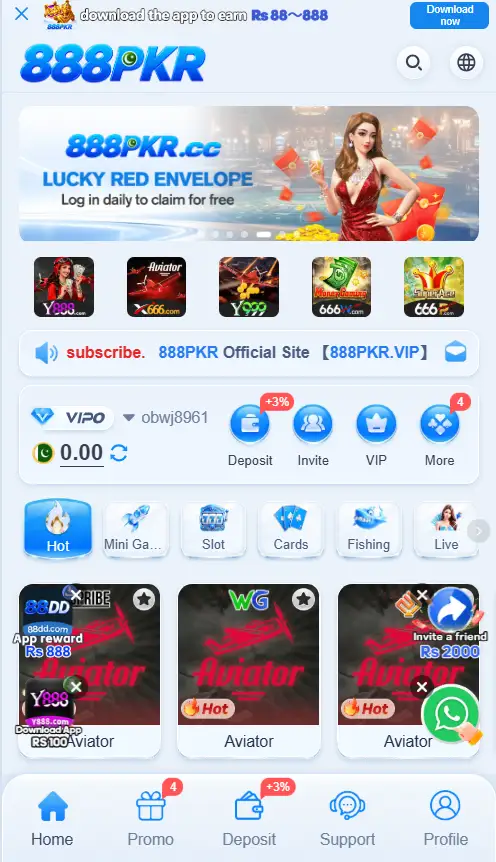
Checking Installation Permissions
- When installing an APK, Android may ask for permission to install applications from a particular source.
- If your device provides such a setting, make sure you understand which application is being allowed to install the file.
- After completing the installation, review the setting again and disable unnecessary installation permissions if appropriate.
888PKR Download Not Starting
Sometimes the download button does not work.
Possible causes include:
- Weak internet connection
- Browser problems
- Temporary server issues
- Incorrect download link
- Pop-up interference
- Insufficient storage
- Browser permissions
Try these basic steps:
- Refresh the page.
- Check your internet connection.
- Restart the browser.
- Check available storage.
- Try again later if the server appears unavailable.
Avoid repeatedly clicking multiple download buttons on a suspicious page.
888PKR APK Download Stuck
If the download remains at the same percentage for a long time, the problem may be related to the connection or server.
Try:
- Checking Wi-Fi or mobile data.
- Pausing and resuming the download.
- Restarting the browser.
- Checking available storage.
- Trying again with a stable connection.
If every attempt produces an incomplete file, the problem may be with the download source.
888PKR APK Download Failed
A failed download can result from several factors.
Common causes include:
- Interrupted internet connection
- Server-side problems
- Insufficient storage
- Browser errors
- Expired download session
- Damaged download link
If the problem continues, do not search randomly for another APK. Verify that you are using a legitimate source first.
888PKR APK Is Corrupted
An APK can become corrupted if the download is interrupted or the file itself is damaged.
Signs can include:
- Installation immediately fails
- Android reports that the package cannot be parsed
- The file has an unexpected size
- The browser reports an incomplete download
Delete the damaged file and obtain a fresh copy from a verified source. Do not attempt to repair or modify an unknown APK manually.
App Not Installed Error
The App Not Installed message can appear for several reasons.
Possible causes include:
- Incompatible Android version
- Insufficient storage
- Damaged APK
- Existing conflicting application
- Incorrect APK package
- Security restrictions
- Application compatibility problems
Start with the simplest checks: verify compatibility, free some storage, and confirm that the APK downloaded correctly.
There Was a Problem Parsing the Package Error
This error can occur when Android cannot properly read an APK package.
Possible causes include:
- Damaged download
- Incompatible Android version
- Incorrect APK file
- Incomplete download
- Modified application package
The first step should be to confirm that the APK came from a trustworthy source and that the device meets its requirements.
Not Enough Storage During Download
- Low storage can interfere with both downloading and installing applications.
- Check your storage before starting:
- Settings → Storage
- If space is low, remove unnecessary downloads, videos, cached files, or unused applications.
- Remember that installing an application may require more space than the size of the APK itself.
888PKR APK Download on Older Android Versions
Older devices may not support newer application packages. Before downloading, check the required Android version. If your device does not meet the requirement, downloading several old APK versions from random websites is not a good solution. Old APKs may be unsupported, outdated, modified, or contain security problems.
If the current application does not support your device, consider using a compatible access method if one is officially provided.
Downloading the Wrong APK Version
Search results can contain multiple files using similar application names.
Before downloading, check:
- Version number
- File size
- Update date
- Application name
- Android requirements
- Source
Do not select an older file simply because its download button works.
How to Update the 888PKR APK
If a newer version is officially available, updating can provide compatibility improvements and bug fixes.
A basic update process is:
- Check the version currently installed.
- Find the latest verified version.
- Compare the version information.
- Download the new APK.
- Check the file before installation.
- Install the update.
- Confirm that the application opens normally.
Avoid downloading an update from an unknown website simply because it claims to provide a newer version.
How to Check the Installed Version
- Android devices commonly provide application information through:
- Settings → Apps → 888PKR → App Info
- The exact menu may differ depending on your device.
- The version number can help you determine whether your installed application is outdated.
Should You Download an Old 888PKR APK?
In most cases, users should prefer a current, legitimate version when one is available.
An old APK may:
- Lack current fixes
- Have compatibility problems
- Stop working with newer systems
- Contain outdated components
- Come from an unreliable archive
If an older version is genuinely required for compatibility, verify its source carefully before installation.
Avoid Modified 888PKR APK Downloads
Some download pages advertise modified APKs with claims such as:
- Unlimited balance
- Unlocked features
- Free rewards
- Premium access
- No restrictions
These files should be treated with caution. A modified APK can contain code that differs from the legitimate application and may create security or privacy risks. For this reason, users should avoid downloading modified versions from unknown sources.
Avoid Fake Download Pages
A fake download page may imitate the appearance of an application website while providing a different file.
Warning signs include:
- Several download buttons
- Unexpected redirects
- Browser notification requests
- Fake virus alerts
- Countdown timers
- Forced app installations
- Requests for unnecessary personal details
- Claims of guaranteed rewards
If a page behaves suspiciously, close it rather than continuing through multiple redirects.
What Information Should a Download Page Provide?
A useful 888PKR download page should provide enough information for users to understand what they are downloading.
Important information can include:
- Application name
- Version
- APK format
- File size
- Android requirements
- Update information
- Installation instructions
- Download troubleshooting
- Security guidance
This information allows users to make a more informed decision before opening an APK file.
How to Make Sure the Download Is Finished
Before opening the APK, confirm that:
- The browser says the download is complete.
- There is no “failed” notification.
- The file appears in Downloads.
- The file size looks normal.
- Android recognizes the file as an APK.
- No security warning is displayed.
If any of these checks fail, do not proceed immediately to installation.
What to Do With the APK After Installation
- Once the application has been installed successfully, the original APK file is no longer required for normal operation.
- If you do not need it for future installation, deleting the APK can recover storage space.
- However, do not delete application data or uninstall the application merely because you want to remove the downloaded installation file.
- The APK and the installed application are separate.
888PKR Download Safety Checklist
Before downloading:
- Verify the source.
- Check the application name.
- Check the version.
- Check Android requirements.
- Check available storage.
- Use a stable internet connection.
After downloading:
- Confirm the download completed.
- Check the filename.
- Check the file format.
- Review the file size.
- Scan the file where possible.
- Watch for Android security warnings.
Before installing:
- Confirm that the source is trusted.
- Review permissions.
- Make sure the Android version is compatible.
- Avoid modified APKs.
- Do not bypass security warnings without understanding them.
Quick 888PKR Download Process
For users who simply want the process at a glance:
- Step 1: Find a verified source for the current APK.
- Step 2: Check the version and Android requirements.
- Step 3: Make sure your phone has enough storage.
- Step 4: Connect to a stable internet connection.
- Step 5: Download the APK.
- Step 6: Wait until the download is completely finished.
- Step 7: Open your Downloads folder.
- Step 8: Check the APK before installation.
- Step 9: Review Android’s installation and security prompts.
- Step 10: Install only if the file and source are trustworthy.
888PKR Download Troubleshooting Table
| Download or installation problem | What to check |
|---|---|
| Download does not start | Internet, browser, download link |
| Download stops | Connection and server availability |
| APK is incomplete | Download again from a verified source |
| APK will not install | Android version and storage |
| App Not Installed | Compatibility, conflicting version, damaged APK |
| Parsing error | APK integrity and Android compatibility |
| Downloaded file cannot be found | Downloads folder or browser history |
| Installation is blocked | Android security settings and file source |
| Application crashes after installation | Compatibility and application version |
| Update fails | Storage, version conflict, and APK source |
Frequently Asked Questions
How do I download 888PKR APK?
Use a legitimate and verified source that provides the current compatible APK. Check the file before opening it and make sure your Android device meets the application’s requirements.
Can I download 888PKR using mobile data?
Yes, if your mobile network supports the download. Check your data allowance and connection stability before starting.
Is Wi-Fi better for downloading an APK?
A stable Wi-Fi connection can be convenient for larger files because it avoids using mobile data, but the important factor is that the connection is reliable and trusted.
What should I do if the APK is corrupted?
Delete the damaged file and obtain a fresh copy from a verified source. Do not install a suspicious replacement simply because it downloads successfully.
Can I download an older version of the APK?
An older version may not be compatible with current systems and may come with security or reliability concerns. Use a current legitimate version whenever possible.
Should I download a modified 888PKR APK?
Avoid modified APKs from unknown sources. Their contents may differ from the legitimate application and could introduce security or privacy risks.
Final Thoughts
Downloading 888PKR on Android should be approached as a process rather than simply clicking a download button. The most important stages are finding a trustworthy source, checking the application information, confirming device compatibility, downloading the correct APK, inspecting the file, and installing it only when you are confident about its source.
Users should be especially careful with APK files obtained outside official app stores. Avoid modified versions, suspicious download pages, fake buttons, unexpected redirects, and files that trigger security warnings. A file labelled as the latest 888PKR APK is not automatically genuine simply because the filename looks correct.